MCP Inspector
The MCP Inspector is a built-in web interface for testing and debugging your generated MCP tools — no separate client needed. It's injected into GraphiQL and served alongside your GraphQL endpoint at /graphql.
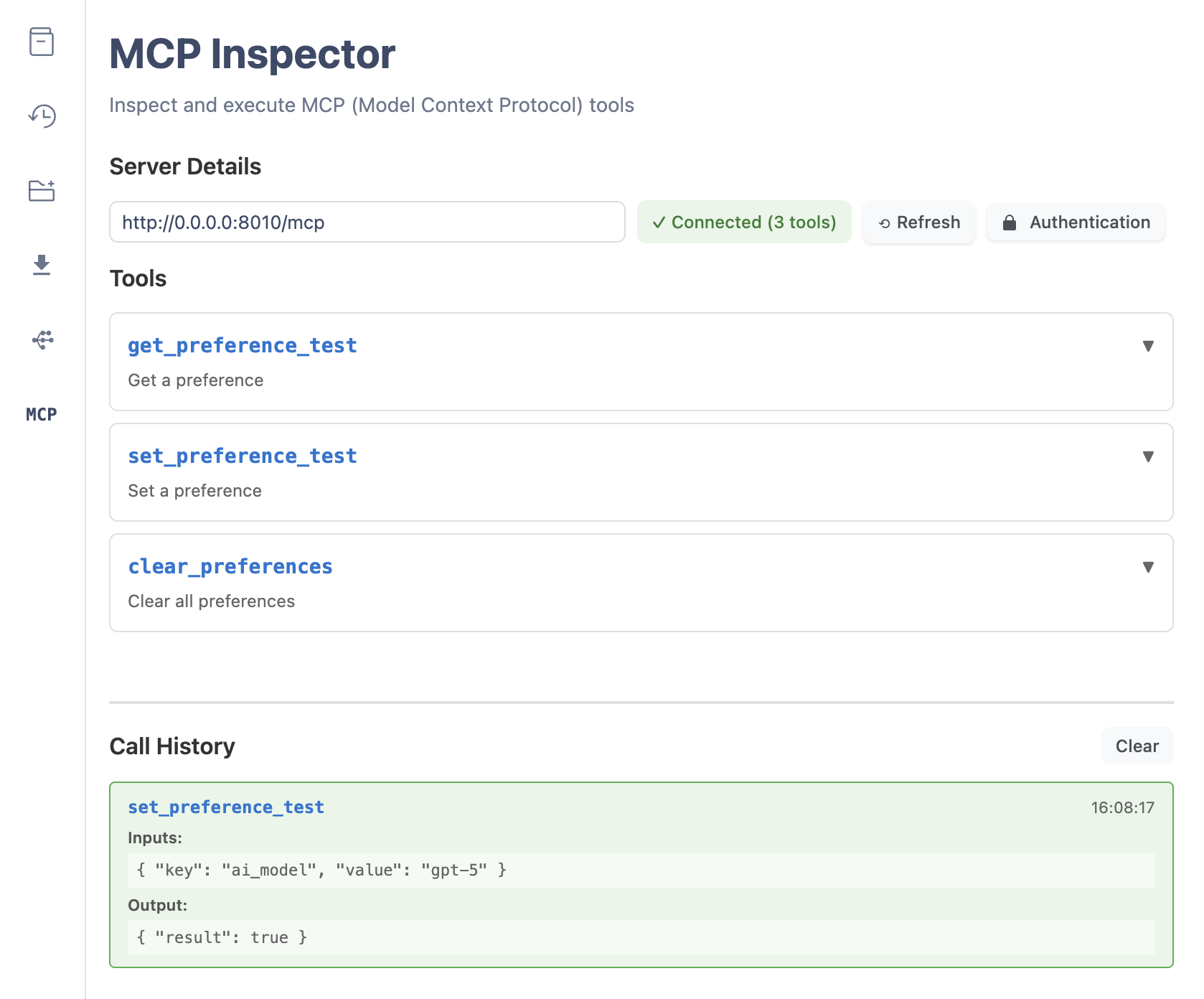
Opening the Inspector
Start any server with the GraphQL HTTP endpoint enabled (the default) and open /graphql in your browser:
from graphql_api import GraphQLAPI, field
from graphql_mcp.server import GraphQLMCP


class API:
    @field
    def hello(self, name: str = "World") -> str:
        """Say hello to someone."""
        return f"Hello, {name}!"


server = GraphQLMCP.from_api(GraphQLAPI(root_type=API))
app = server.http_app()
Then visit http://localhost:8002/graphql (the port varies per app). The Inspector loads next to GraphiQL — switch to it from the GraphiQL plugins sidebar.
Try it live
The hosted examples expose the Inspector without installing anything — e.g. examples.graphql-mcp.com/hello-world.
What you can do
- Browse tools — see every MCP tool generated from your schema, with its description.
- Execute tools — call any tool with custom parameters and view the response.
- Inspect schemas — view each tool's input parameters and output schema.
- Add authentication — attach headers (e.g. a bearer token) to tool calls.
- Track history — review previous tool calls and their results.
The Inspector calls the same MCP endpoint your AI client uses, so what you see is exactly what an agent sees.
Enabling and disabling
The Inspector ships with the GraphQL HTTP endpoint, which is enabled by default. To serve MCP only (no GraphiQL, no Inspector), disable the HTTP endpoint:
server = GraphQLMCP.from_api(api, graphql_http=False)See Configuration for related HTTP options.